
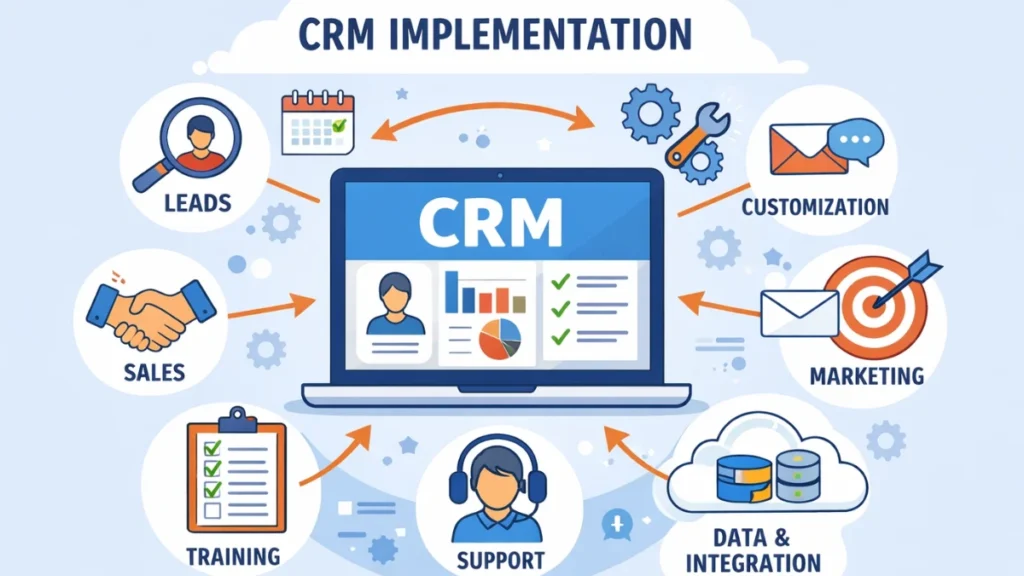

Implementing a Customer Relationship Management (CRM) system can transform the way an organization interacts with its customers. A well-executed CRM implementation streamlines operations, enhances customer engagement, and drives sales growth. However, without a structured approach, CRM adoption can fail, wasting resources and reducing employee morale. This guide walks you through the steps for successful CRM implementation for any organization.
What is CRM Implementation?
CRM implementation is the process of deploying a CRM system within an organization, integrating it with business processes, and training staff to use it effectively. Successful implementation ensures that the system not only stores customer data but also drives actionable insights and improves overall customer experience.
Step 1: Define Your CRM Goals and Objectives
Before selecting a CRM platform, define your organization’s goals. Ask:
- What business problems are you trying to solve?
- Are you focused on increasing sales, improving customer support, or both?
- How will CRM support your long-term strategy?
Clearly defined objectives guide your CRM selection and ensure alignment with business priorities.
Step 2: Involve Key Stakeholders
Engage stakeholders from all departments—sales, marketing, customer service, and IT—from the start. Their involvement ensures:
- Requirements are accurately captured
- Workflow integration is seamless
- Adoption rates increase due to shared ownership
CRM is not just a tool for the sales team; it benefits the entire organization when implemented collaboratively.
Step 3: Analyze and Map Existing Processes
Understand your current processes before introducing a CRM. Identify:
- Manual tasks that can be automated
- Bottlenecks in customer interactions
- Gaps in data collection or reporting
Process mapping helps ensure the CRM aligns with your workflow, rather than forcing your processes to adapt to the system.
Step 4: Choose the Right CRM Software
Select a CRM solution that fits your organization’s needs. Key considerations include:
- Usability and interface
- Integration with existing tools (email, ERP, marketing platforms)
- Scalability to accommodate growth
- Analytics and reporting capabilities
Some popular options offer cloud-based solutions, while others provide on-premise installation depending on security and customization needs.
Step 5: Clean and Migrate Data
Data quality is critical. Before migration:
- Remove duplicate or outdated records
- Standardize data formats
- Verify the accuracy of contact information
Accurate data ensures that your CRM delivers reliable insights and supports meaningful interactions with customers.
Step 6: Customize CRM to Your Needs
Most CRM platforms allow customization. Tailor:
- Fields and modules to match your business terminology
- Workflows and automation to your processes
- Dashboards and reports for different teams
Customization increases usability and adoption among employees.
Step 7: Train Your Team
Training is essential for successful adoption. Focus on:
- How to enter and update customer data
- How to use dashboards and reports
- Best practices for leveraging automation and analytics
Regular refresher sessions and support resources help maintain high usage rates.
Step 8: Launch CRM in Phases
Rolling out CRM in stages reduces risk. Start with a pilot phase:
- Select one department or team
- Monitor usage, gather feedback, and address issues
- Gradually expand to other departments
Phased implementation allows the organization to adapt gradually and refine the system before full-scale adoption.
Step 9: Monitor Performance and KPIs
Track performance to ensure CRM is meeting its objectives. Key metrics include:
- Sales growth and conversion rates
- Customer satisfaction and retention
- Team adoption rates
- Campaign effectiveness
Regular analysis helps identify areas for improvement and ensures ROI on your CRM investment.
Step 10: Continuously Optimize
CRM implementation is an ongoing process. To maintain effectiveness:
- Update workflows as your business evolves
- Integrate new tools or features
- Regularly solicit feedback from users and customers
Continuous optimization ensures your CRM grows with your organization and consistently drives value.
Conclusion
A successful CRM implementation transforms customer data into actionable insights, streamlines operations, and enhances customer relationships. By following these steps—defining goals, involving stakeholders, analyzing processes, selecting the right software, migrating data, customizing, training, launching in phases, monitoring KPIs, and optimizing continuously—any organization can achieve a CRM strategy that drives sales and loyalty.
FAQs
1. How long does CRM implementation take?
Implementation typically takes 3–6 months, depending on the organization’s size and complexity.
2. What is the most common CRM implementation mistake?
Ignoring stakeholder involvement and failing to train employees are major causes of CRM failure.
3. Can small businesses implement CRM successfully?
Yes, with careful planning and choosing the right scalable solution, small businesses can benefit greatly.
4. How important is data quality in CRM?
Data quality is critical; inaccurate or outdated data can lead to poor insights and customer dissatisfaction.
5. Should CRM implementation be a one-time project?
No, CRM requires ongoing optimization and updates to stay effective and aligned with business goals.